




The Thailand Digital Arrival Card (TDAC) is the digital arrival form that every foreign traveler has to submit before visiting Thailand. Filling it in correctly before you fly is the last piece of paperwork between you and the beaches, the Pad Thai and the day trips.
The TDAC replaced the old paper TM6 form that used to be handed out on board. The whole procedure is now online and it is free. It applies to every nationality, with or without a visa, whether you need a visa at all depends on your passport, so check the current entry rules for your own country before you book. Government forms are nobody’s idea of a vacation, but this one takes a few minutes if you follow the right steps.
One detail worth knowing: a form filled in correctly speeds up the immigration check. Mistakes or missing data mean a longer wait at passport control.
Information updated June 2026. This guide is written by our team, a tour operator that lives and works in Thailand.
Table of contents❯
What you need before you start
Before you open the portal, keep a few things within reach so you can fill everything in without stopping:
- Your passport, valid for at least 6 more months.
- Your flight ticket, with the number of the flight that lands in Thailand.
- The full address of your first hotel or place of stay.
- A smartphone or a computer with an internet connection.
How to reach the official portal and fill out the form
The only official channel for the TDAC is the Thai government portal, and it is free. Beware of unofficial sites that ask for a payment: the TDAC never costs anything.
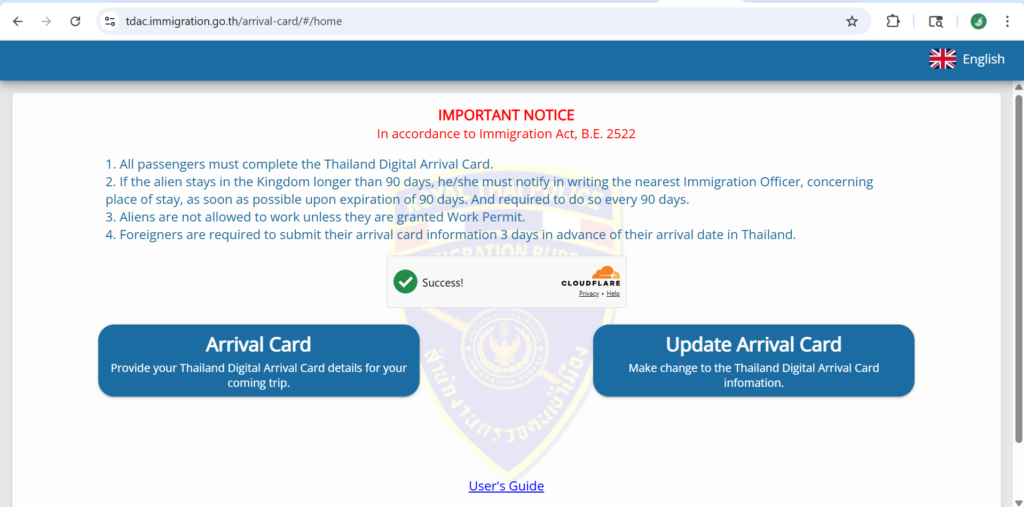
This is the right address: the official TDAC portal of the Immigration Bureau (tdac.immigration.go.th). Once the page has loaded, start a new registration from the button provided.
Step 1: Personal Information
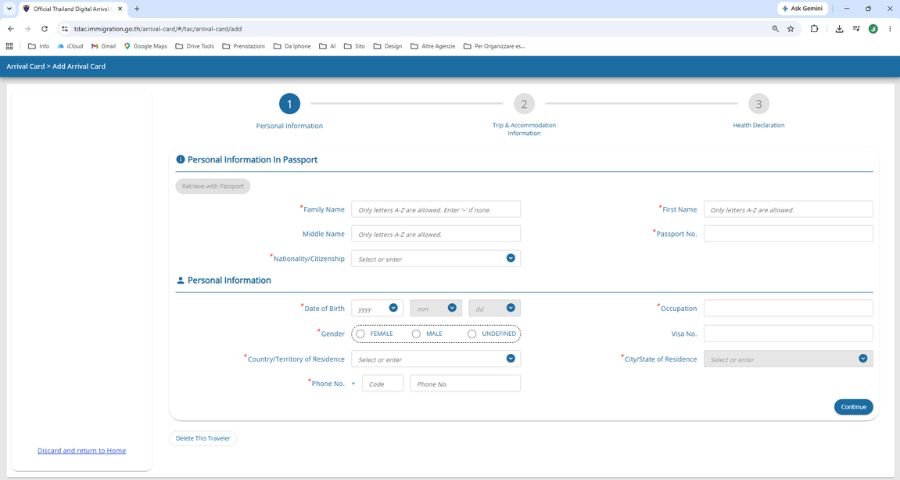
On this screen you enter your details exactly as they appear on your passport, with no changes.
- More than one given name: enter your full name, exactly as it is printed on the document.
- No accents: if your name or surname carries an accent or a special character (François, Müller, Nicolò), type it in its plain form (Francois, Muller, Nicolo), the way it appears in the machine-readable strip at the bottom of the passport page. It avoids errors in the system.
Step 2/A: Arrival and Departure Information
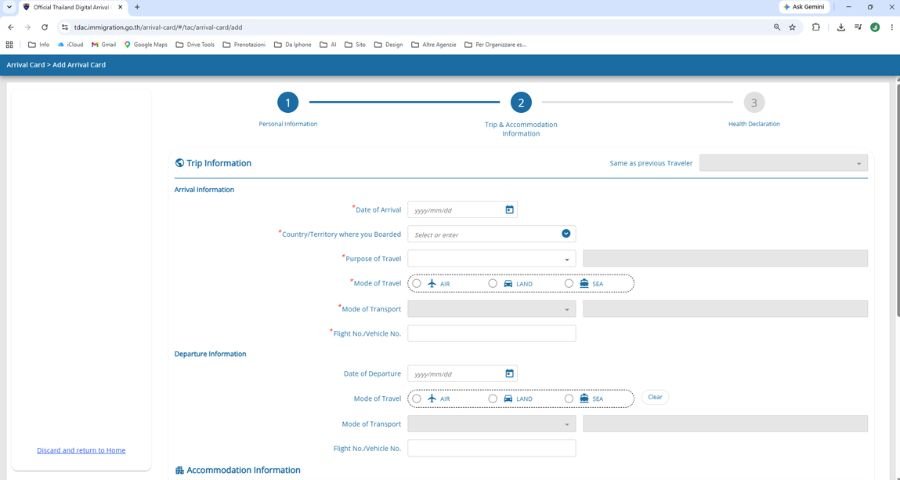
The “Flight No.” field is the one that causes most of the confusion. Enter the number of the flight you land in Thailand with (TG941, for example).
- If you have a connection, do not enter the earlier leg: only the last segment, the one that arrives in Thailand.
- Do not enter the PNR or the booking reference from your travel agent.
Step 2/B: Accommodation Information (the trickiest part)
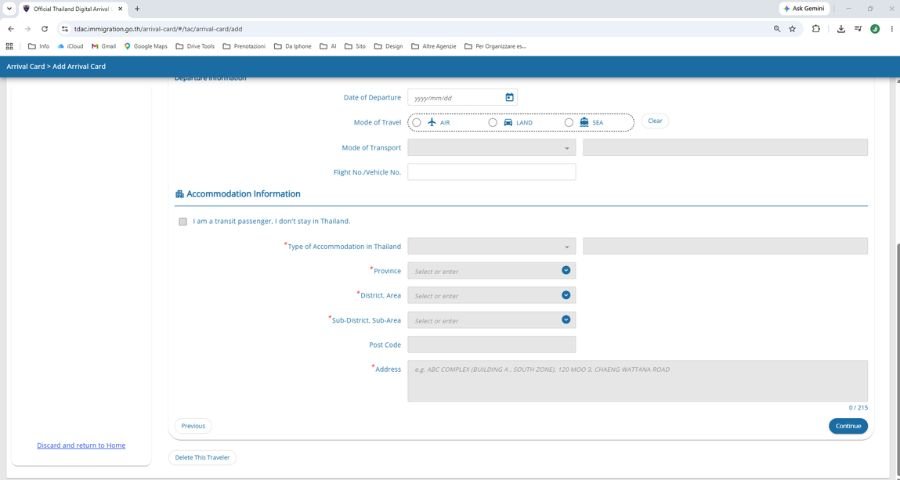
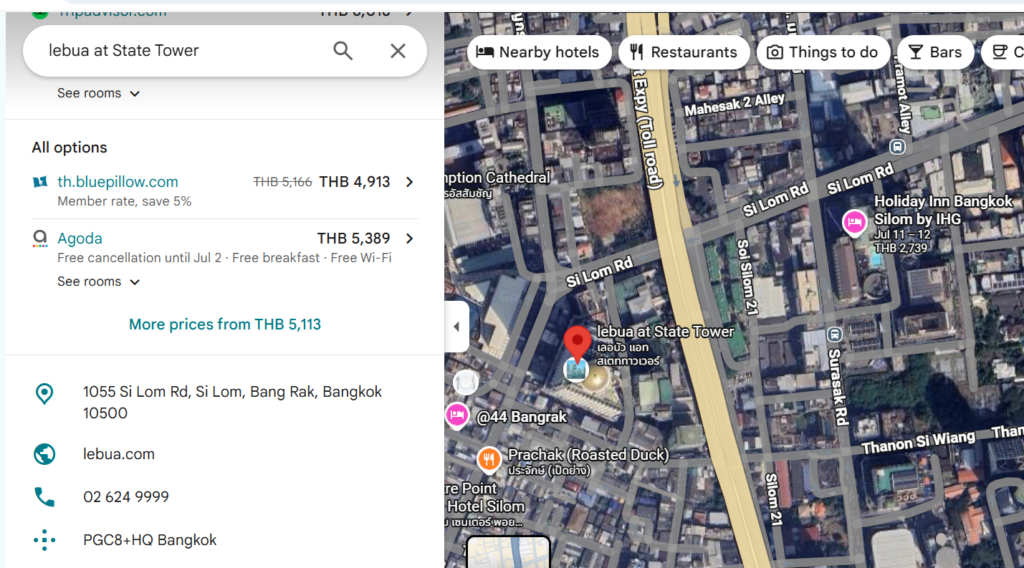
The system asks for the address the way Thailand divides its territory, and the wording changes from one area to another. A Thai address reads from the most specific detail to the most general: house number → road → sub-district → district → province → postal code.
The terms are not the same in Bangkok and in the rest of the country:
- In Bangkok, the capital of Thailand: the District field is the Khet, while Sub-district is the Khwaeng.
- In the other provinces (Phuket or Chiang Mai, for instance): the district is the Amphoe and the sub-district is the Tambon.
A worked example · Lebua at State Tower (Bangkok). On Google Maps the address reads:
1055 Si Lom Rd, Si Lom, Bang Rak, Bangkok 10500. Here is how it breaks down, piece by piece:
- 1055 → house number
- Si Lom Rd → road (Silom Road)
- Si Lom → Sub-district (Khwaeng) → goes in the Sub-district field
- Bang Rak → District (Khet) → goes in the District field
- Bangkok → Province
- 10500 → Postal Code
The general rule is simple: the item right before the province is always the District, and the one before that is the Sub-district. Once you pick the correct province from the drop-down menu, the fields below refresh on their own: you just choose the district and the sub-district from the lists offered.
Step 3: Health Declaration
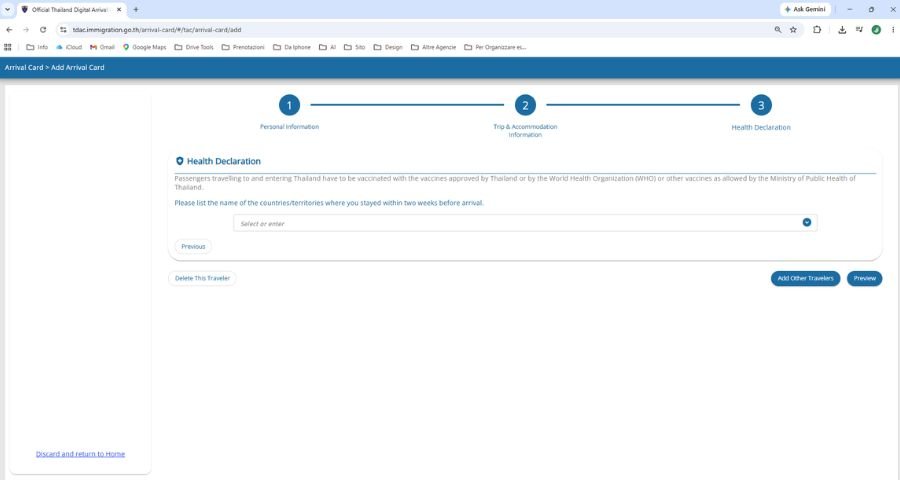
Here you list the countries you visited in the two weeks before your expected arrival date in Thailand. It is a quick screen, but fill it in carefully: it is part of your formal entry declaration.
Last screen: confirmation and QR code
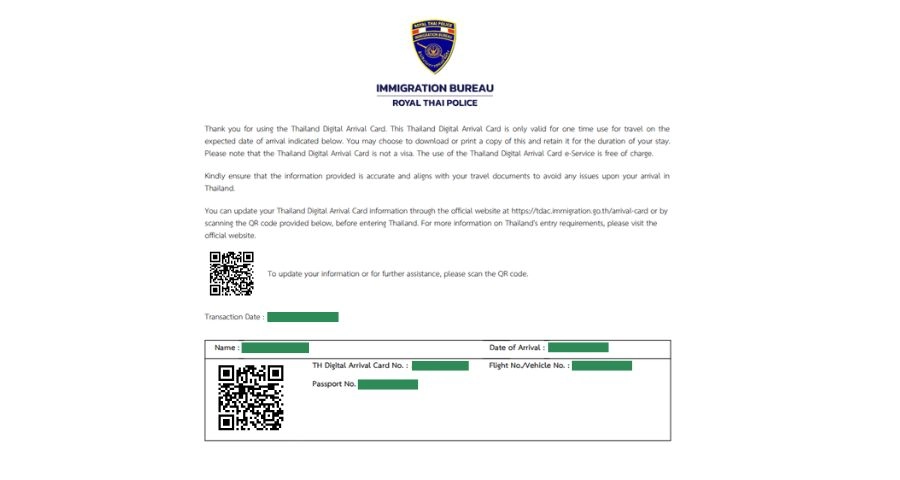
Once you have checked that everything is correct, you submit the form. The system generates a QR code, and that code is your proof of registration.
Save the QR code on your phone straight away (a screenshot is enough) or print it. If you entered an email address, the document also arrives by email. Keep it within reach: it can be asked for at passport control when you land.
It is also worth keeping the file after you arrive. If you later apply to extend your stay or for a different type of visa, the immigration office may ask to see the TDAC, and having it ready keeps the paperwork moving.
What about the THIM app?
THIM is the new official app of the Thai Immigration Bureau. It lets you submit the same TDAC straight from your phone and saves your profile for future trips. It is not mandatory and it is still being tested, so you can keep using the web portal if you prefer. Everything is explained in our full guide to Thailand’s THIM app.
Ready to see Bangkok at its best?
No planning stress. Our team builds the itinerary around you, with private tours, licensed English-speaking guides and 24/7 support for the whole trip.
Frequently asked questions about the TDAC
Do you have to pay for the TDAC?
No, the TDAC is free. It is filled in only on the official portal, tdac.immigration.go.th. Any site that asks for a payment is not official.
When should you fill out the TDAC?
Before you arrive. The official portal accepts the form from three days before your arrival date, so the days just ahead of your flight are the right window. Do it calmly from home, not at the airport.
Has the TDAC replaced the paper TM6 form?
Yes. The TDAC replaced the old paper TM6 that used to be handed out on board. The whole procedure is digital now.
Do you need to print the QR code?
Printing it is not compulsory: a screenshot on your phone is enough. What matters is being able to show it if it is asked for at passport control.
Can you fill out the TDAC for the whole family?
Yes, you can register more than one person. The THIM app in particular lets you add family members and travel companions in a single registration.
Now the real vacation begins
With the TDAC out of the way, only the good part is left. That is exactly what our team does, as your tour operator on the ground in Thailand: we take care of the paperwork so you get the country itself.
To carry on planning, these may help too:
If you are after something built around you, our catalog of tours and experiences in Thailand brings together everything we run, from half-day outings to trips of two weeks.
In short
The TDAC is the free digital arrival form required for Thailand, and it replaced the old paper TM6. It takes a few minutes on the official portal, as long as you are careful with the passport details, the number of the arriving flight and the address in Thailand. At the end you get a QR code to keep for passport control. If you prefer, the same procedure can be done from the THIM app.
This guide may contain affiliate links: if you book through one of them, nothing changes for you, while we receive a small commission from the booking platform, which repays the time spent writing and updating this guide. More information.